
Zambia visa photo standards from the Department of Immigration
The Zambia Department of Immigration, under the Ministry of Home Affairs and Internal Security, sets the photo standard for every visa category, from Tourist and Business to KAZA UniVisa, Transit, Study and Day Tripper. Central regulations call simply for a recent, passport-sized colour photograph on a plain white background, and the same standard carries through to long-term permits processed by the department.
Most applicants now apply through the ZIMS e-Services portal, which handles the great majority of visa and permit submissions. Paper applications continue at Zambian missions abroad, where the print format follows the host mission’s convention: the Embassy of Zambia in Washington DC specifies 2×2 inch photographs on photographic paper, while the High Commission in London and other Rest-of-World posts use 45×35 mm. Zambia does not route inbound visas through VFS Global or any other visa application centre, and Visa on Arrival applicants supply no photo at all because biometrics are captured at the port of entry.
Officers enforce the standard on visual review and routinely cite "inadequate photograph" as grounds for refusal. A non-compliant image will see an e-Visa application rejected outright or a paper file returned, so the subject must meet every published rule on pose, expression, eyewear, hair, headwear and clothing before submission.
What the Zambia Department of Immigration expects in your visa photo
The Department of Immigration enforces a uniform "passport-sized photo" standard across every visa and permit category. These are the subject-side rules visa officers check on review.
Expression & pose
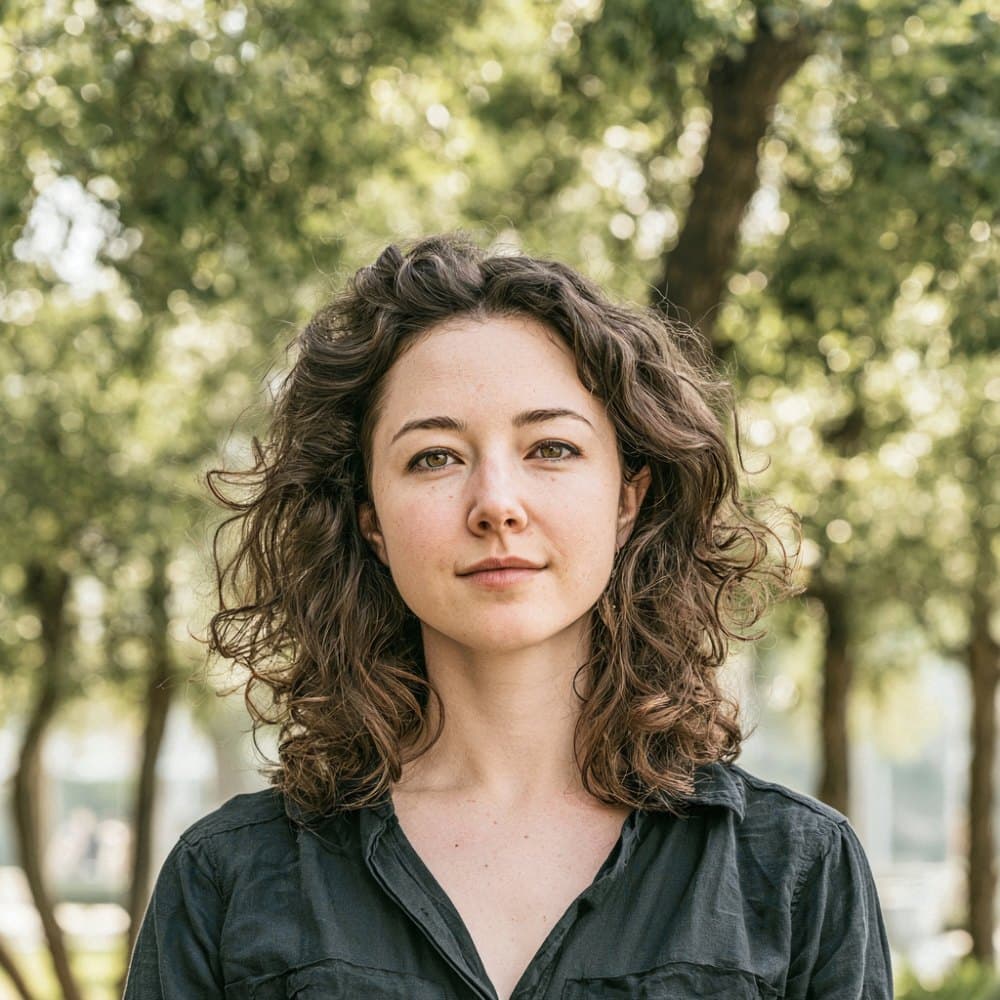
- Neutral expressionKeep a neutral face with the mouth closed. Smiles, raised eyebrows, frowns, and visible teeth are treated as inadequate photographs and rejected.
- Eyes open and forwardBoth eyes must be fully open and looking directly at the camera. Closed or partially closed eyes are a common rejection trigger.
- Head straightFace the camera squarely with the head level. Tilting, turning, or tipping the head is not accepted.
Eyewear & lenses
- EyeglassesThe Department of Immigration permits clear prescription glasses only when there is no glare on the lenses and the frames do not obscure any part of the eyes. Removing glasses for the photo is strongly recommended to avoid rejection.
- Tinted lensesTinted, photochromic, or sunglass lenses are not allowed. The eyes and iris must be clearly visible.
Hair & ears
- Hair off the faceHair must not cover the eyes or eyebrows. Bangs that fall across the forehead and into the eye line are prohibited.
- Ears visibleBoth ears, or at minimum both edges of the face, must be visible. Hair should be tucked back so the face outline is unbroken.
Headwear
- General ruleHats, caps, and decorative head coverings are not permitted.
- Religious or medical exceptionHead coverings worn daily for religious or medical reasons are allowed, provided the full face from chin to forehead is visible and the covering casts no shadow across the face.
Jewelry & cosmetics
- JewelryOnly small, non-distracting items are acceptable. Large earrings, nose rings, or pieces that obscure any part of the face are not permitted.
- CosmeticsEveryday makeup is fine. Heavy makeup that alters facial features or mimics retouching is grounds for rejection.
Clothing
- Everyday attireWear ordinary street clothing. Uniforms, including military, police, and airline uniforms, are not accepted.
- Avoid white topsBecause the background is white, do not wear a white shirt or top. The shoulders and neckline must remain distinguishable from the background.
Photo quality
- No shadows on the faceEven illumination is required. Heavy shadows across the face, neck, or under the chin are a documented rejection reason.
- No red-eyeThe pupils must appear naturally dark. Red-eye is treated as an inadequate photograph.
- Sharp and stillThe subject must hold still during capture. Motion blur or soft focus on the face is not accepted.
Recency & likeness
- Taken within six monthsThe photo must reflect your current appearance and is enforced as having been taken within the last six months.
- Appearance changesSubmit a new photo after significant appearance changes such as surgery, substantial weight change, or new visible tattoos or piercings.
Dimensions, resolution & background.
Head position & camera distance.
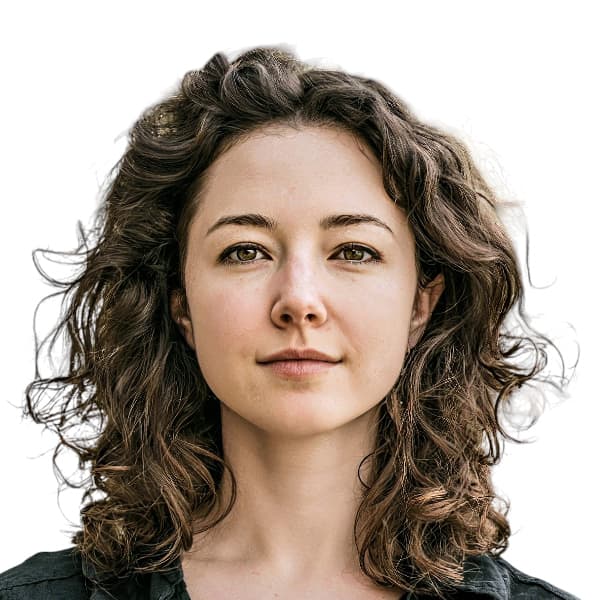
- Head height, measured from the bottom of the chin to the top of the head, must be between 31 mm and 34 mm (roughly 61–68% of the photo height).
- Eyes must sit between 27 mm and 33 mm from the bottom of the photo.
- The head must be centered horizontally in the frame with a small symmetrical margin on each side.
- Both shoulders must be square to the camera and visible. Three-quarter angles or rotated torsos are not accepted.
- The full face from chin to crown must be inside the frame with proper top margin.
Zambia accepts more than one size — we generate them all.
Zambia publishes more than one acceptable format depending on where you submit your application — domestic passport offices, the official online portal, and regional consulates abroad can each call for a different print or pixel size. We render every variant below from the same source photo, so the head sits at the same physical position across files, and each one arrives in your order email with a clear filename indicating which submission channel it's for.
Zambia Visa 2×2 in — from US consulate
Primary · Print + DigitalZambia's official format — the same file works for both printed in-person submissions and the online portal upload.
Zambia Visa 35×45 mm — London/RoW
Print + DigitalAlternate accepted size — works as both an in-person print and an online-portal upload.
How recent the photo must be.
Your visa photo must have been taken within the last six months. A new photo is required sooner whenever your appearance has changed in a way that makes the old photo no longer recognizable.
You need a new photo if you’ve had…
- Facial surgery or a major change to facial structure
- A significant gain or loss of weight that visibly changes your face
- Large facial tattoos or piercings added or removed
- A gender transition that has changed your appearance
You do not need a new photo just because of…
- A new hair color
- Growing or removing a beard or moustache
- Ordinary, minor aging
- A new hairstyle that still leaves the face fully visible
Other things to know.
A few Zambia-specific quirks worth knowing before you submit.
Two accepted print sizes
Zambian missions do not all use the same print dimensions. The Embassy of Zambia in Washington DC requires 2 x 2 inch (50.8 x 50.8 mm) prints on photographic paper — the default size we output — while the High Commission in London and other rest-of-world missions follow the 45 x 35 mm UK passport format. Check which mission is handling your application before printing.
Visa on Arrival needs no photo
Eligible nationalities receiving a Visa on Arrival at Kenneth Kaunda, Harry Mwaanga Nkumbula, Victoria Falls, or Kazungula do not supply a photograph. Biometrics, if taken, are captured at the counter.
Two signed prints for embassy filings
Paper applications at Zambian missions require two identical photographs on photographic paper, signed on the back and stapled to the upper-right corner of each duplicate of Form 16. Home inkjet prints on plain paper are auto-rejected.
Do not upload a PDF
The e-Services portal will technically accept a PDF in the photo field, but doing so breaks the rendering of the issued e-Visa. Submit JPEG or PNG only.
Take your Zambia visa photo at home in three steps.
Plus a human layer. Your files are ready the moment the automatic checks pass — and a real passport-photo specialist also reviews each one, usually within minutes, touching up small issues or flagging anything that needs your attention.
Free to check, and reviewed by a real expert. You only pay when you keep it.
Print-quality requirements for in-person submissions.
When you submit a printed photo at a visa application centre, the paper, finish, and ink all matter. The points below cover the standards most consular missions accept.
- Print on photographic-quality paper at 300 DPI minimum.
- Use a matte or semi-gloss finish; high-gloss can produce reflections that confuse biometric scanners.
- Do not retouch, crop, or alter the photo after printing.
- Bring at least two identical prints when the submission channel calls for paper photos.