
Papua New Guinea visa photos under the Immigration and Citizenship Authority
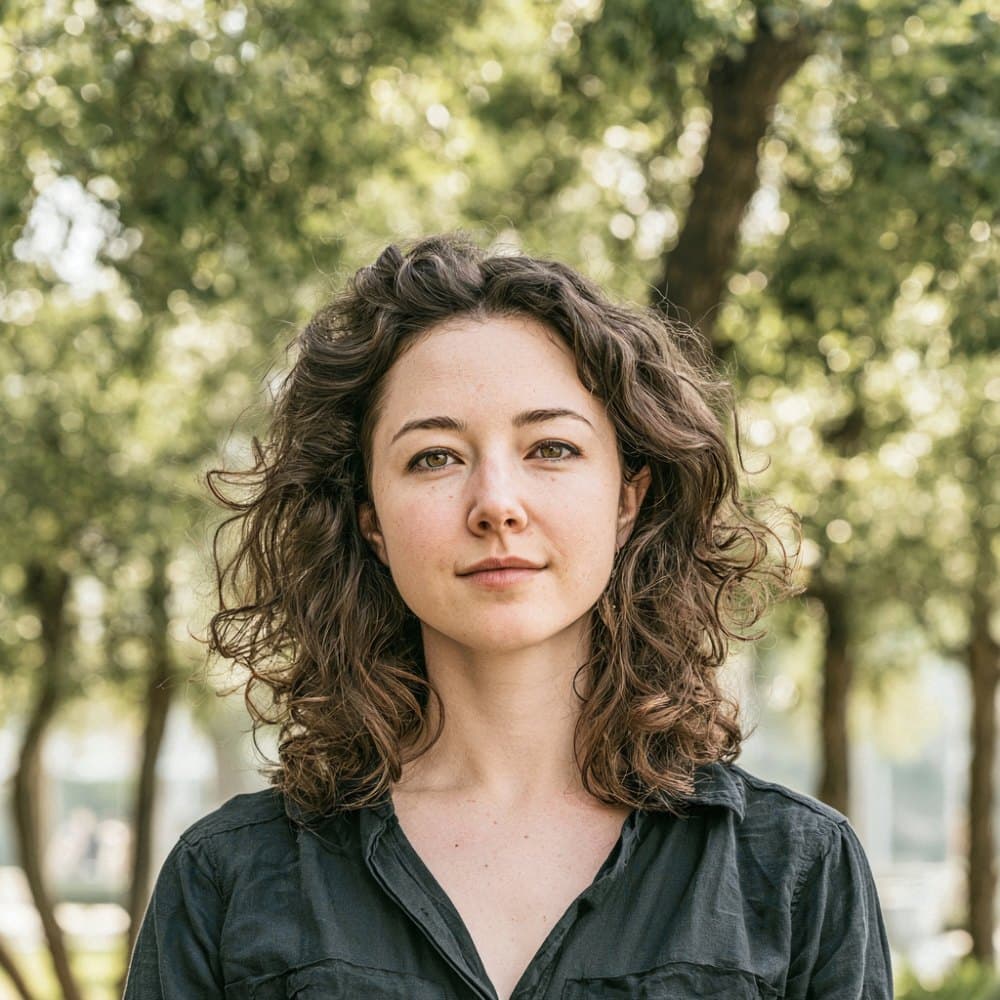
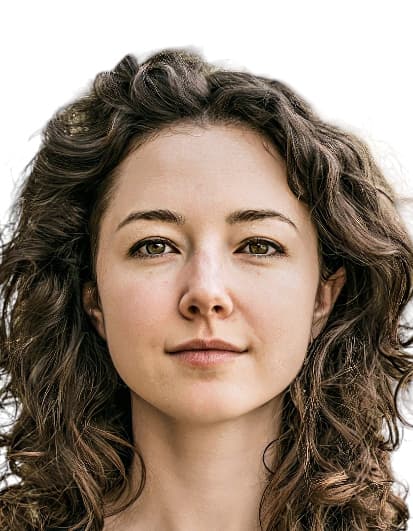
The Immigration and Citizenship Authority (ICA) of Papua New Guinea sets and enforces the photo standard for every visa class, from Visitor and Business to Journalist, Aid Worker, Student, and Work permits. The same 35 by 45 mm portrait is used across channels, with a frontal pose, neutral expression, and a plain white background.
Submission runs through two routes. Eligible categories upload a digital photo to the ICA e-Visa portal at evisa.ica.gov.pg, while all other categories lodge a paper Form 1 with two identical printed photos at ICA Port Moresby or a PNG diplomatic mission. There is no third-party visa application centre and no on-site biometric capture, so every photo is applicant supplied and judged on what is delivered.
ICA officers reject photos that miss the standard, and a rejection means the application is held or returned before a decision is issued. Meeting the published rules on the first submission is the only reliable way to keep the visa moving.
What the ICA expects in a Papua New Guinea visa photo
The Immigration and Citizenship Authority applies ICAO-standard biometric framing to every visa category. The rules below govern how the applicant must appear in the final image.
Expression & pose
- Full-face positionThe ICA passport FAQ requires a full-face, frontal pose. Square the head and shoulders to the camera with no rotation or tilt.
- Neutral expressionKeep the mouth closed with a neutral expression. Smiling, frowning, or showing teeth is not accepted.
- Eyes open and visibleBoth eyes must be fully open and looking directly at the camera. Hair, frames, or shadows must not cover the eyes.
Eyewear & lenses
- Tinted glasses and sunglassesThe ICA passport FAQ explicitly prohibits tinted glasses and sunglasses. Remove them before capture.
- Prescription glassesClear prescription glasses are tolerated only when frames do not cover the eyes and there is no glare on the lenses. Removing glasses entirely is the safer option.
Headwear
- Hats and capsHats are explicitly prohibited by the ICA passport FAQ. The head must be uncovered for the photograph.
- Religious or medical head coveringsCoverings worn daily for religious or medical reasons are permitted, provided the full face from chin to forehead remains clearly visible.
Hair & face
- Hair across the faceHair must be arranged so it does not fall across the eyes, eyebrows, or the outline of the face.
- Facial shadowsAvoid heavy shadows cast across the face by hair, hat brims, or other obstructions. The features must read clearly to the reviewing officer.
Clothing
- Everyday attireWear ordinary street clothing. Uniforms are not accepted unless worn daily for religious reasons.
Photo recency
- Taken within six monthsThe photograph must have been taken within the last six months and must reflect the applicant’s current appearance.
Dimensions, resolution & background.
Head position & camera distance.
- Head height, measured from the bottom of the chin to the top of the head, must be between 27 mm and 36 mm (roughly 60–80% of the photo height).
- Eyes must sit between 21 mm and 27 mm from the bottom of the photo.
- The head must be centered horizontally in the frame with a small symmetrical margin on each side.
- Both shoulders must be square to the camera and visible. Three-quarter angles or rotated torsos are not accepted.
- The full face from chin to crown must be inside the frame with proper top margin.
How recent the photo must be.
Your visa photo must have been taken within the last six months. A new photo is required sooner whenever your appearance has changed in a way that makes the old photo no longer recognizable.
You need a new photo if you’ve had…
- Facial surgery or a major change to facial structure
- A significant gain or loss of weight that visibly changes your face
- Large facial tattoos or piercings added or removed
- A gender transition that has changed your appearance
You do not need a new photo just because of…
- A new hair color
- Growing or removing a beard or moustache
- Ordinary, minor aging
- A new hairstyle that still leaves the face fully visible
Other things to know.
A few practical quirks of the Papua New Guinea visa channel are worth flagging before you submit.
No third-party VAC
Papua New Guinea does not use VFS Global, BLS, TLScontact, or any other visa application centre operator. Applications go directly to the ICA e-Visa portal or to a PNG diplomatic mission.
No on-site biometric capture
No submission channel captures a photograph on site. Every applicant must supply their own image, whether uploading to the e-Visa portal or attaching prints to a paper Form 1.
Washington D.C. size variant
The PNG Embassy in Washington D.C. accepts a 51 by 51 mm (2 by 2 inch) square photograph on paper Form 1 submissions for applicants in the Americas, in place of the standard 35 by 45 mm print.
Glue, do not staple
For paper Form 1 applications, the two identical prints must be glued to the form. Stapling through the face will cause the application to be returned.
Take your Papua New Guinea visa photo at home in three steps.
Plus a human layer. Your files are ready the moment the automatic checks pass — and a real passport-photo specialist also reviews each one, usually within minutes, touching up small issues or flagging anything that needs your attention.
Free to check, and reviewed by a real expert. You only pay when you keep it.
Print-quality requirements for in-person submissions.
When you submit a printed photo at a visa application centre, the paper, finish, and ink all matter. The points below cover the standards most consular missions accept.
- Print on photographic-quality paper at 300 DPI minimum.
- Use a matte or semi-gloss finish; high-gloss can produce reflections that confuse biometric scanners.
- Do not retouch, crop, or alter the photo after printing.
- Bring at least two identical prints when the submission channel calls for paper photos.