
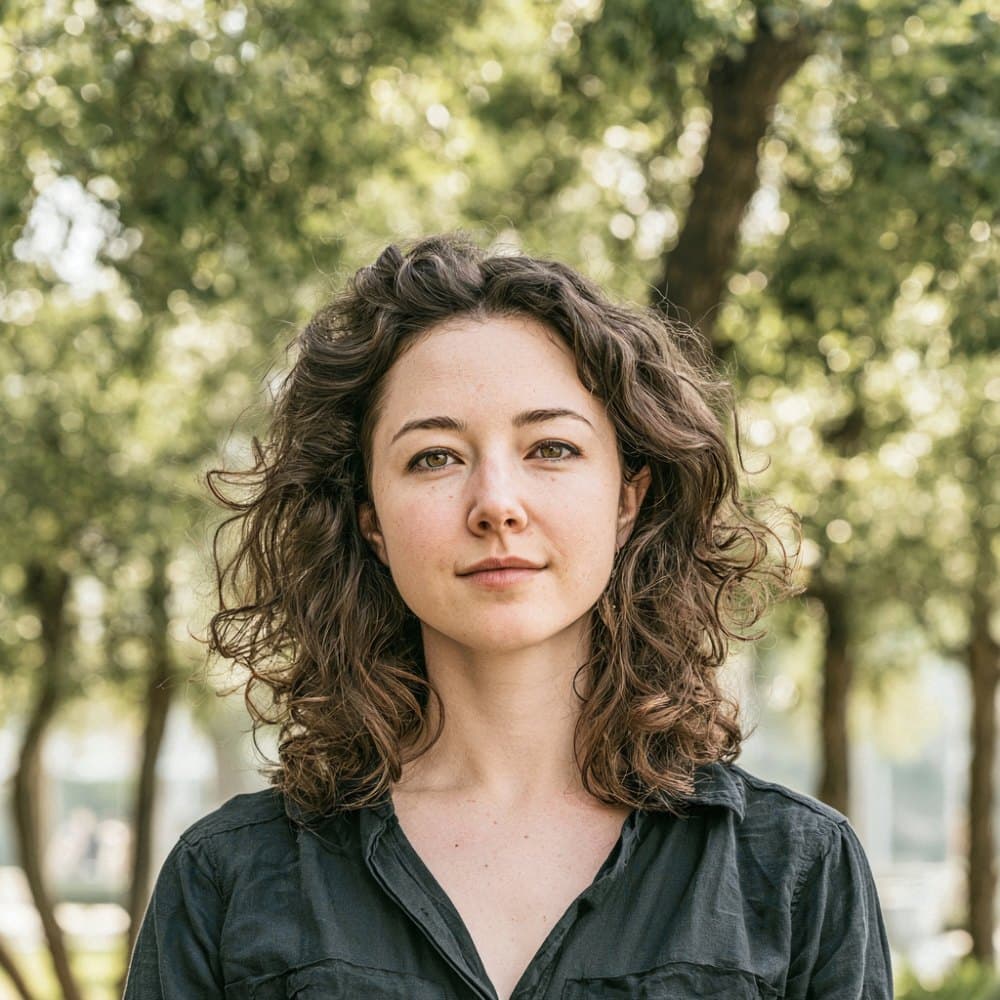
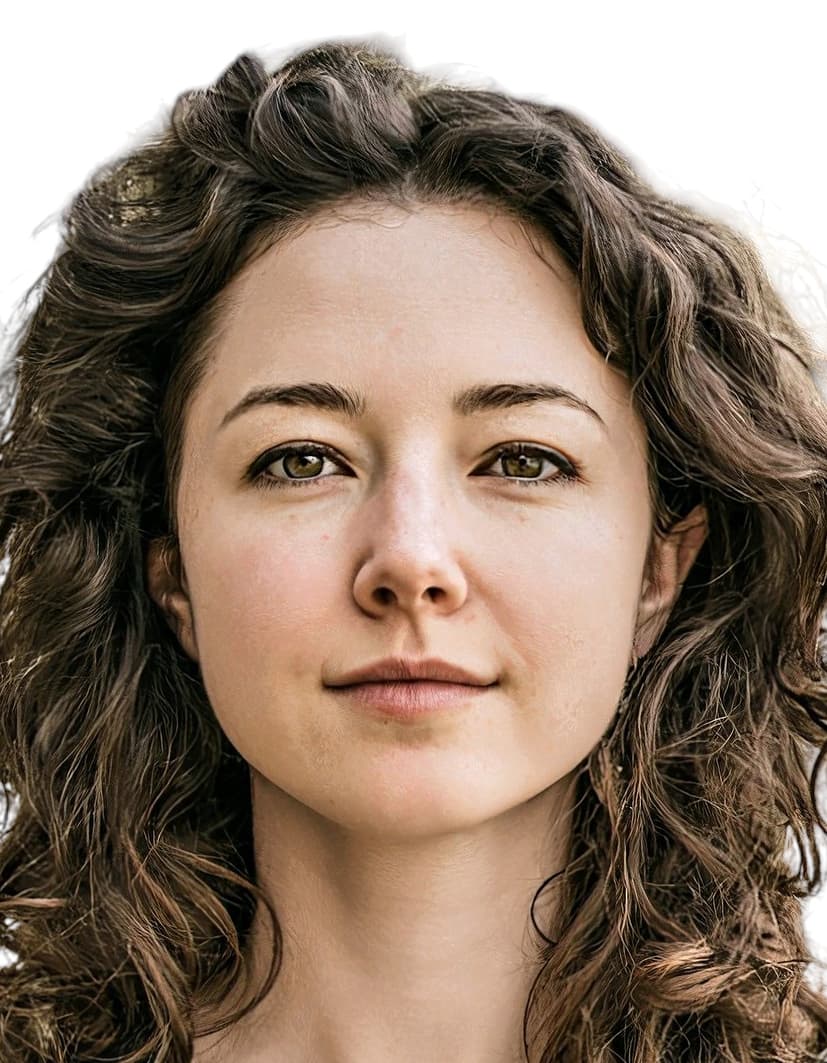
Maldives Immigration sets one photo standard for every visa category
Maldives Immigration publishes a single Photo Standard that governs passports and every visa category that requires an applicant-supplied image, including the Tourist Visa Extension, Business Visa, Work Visa, Marriage Visa, Dependent Visa, and special long-stay permits. The print is 35 × 45 mm, the face must fill 70 to 80 percent of the frame, and the background must be plain white. Light grey and off-white backgrounds that appear on older third-party guides are not accepted under the current standard.
There is no VFS Global, BLS, or other visa application centre in the channel. Applications flow directly through Maldives Immigration’s own portals: IMUGA (imuga.immigration.gov.mv) for visa extensions and most resident categories, and Xpat (xpat.egov.mv) for Work Visas. Both portals validate the uploaded photo dynamically at submission, and a non-compliant image is rejected at upload before the application can proceed. Visitors arriving on the standard 30-day tourist visa do not submit a photo at all; immigration officers capture a live image at the border.
Because the Photo Standard is enforced at the portal and again on review, an image that fails on expression, pose, eyewear, headwear, or clothing contrast will cause the application to be returned and the visa decision to be delayed. Recency is also category-specific: the Business Visa accepts photos taken within the last three months, the Tourist Visa Extension under the Maldives 2.0 initiative accepts photos taken within the last twelve months, and the underlying Passport Photo Standard defaults to thirty days.
Maldives Immigration visa photo requirements
Maldives Immigration applies a single biometric photo standard across passports and every visa category that needs an applicant-supplied image. The subject-side rules below decide whether your photo is accepted.
Expression & pose
- Neutral expressionAdults must hold a neutral expression with the mouth closed and no visible teeth. Smiling, frowning, or other expressions are rejected.
- Direct gazeThe applicant must look straight at the camera with both eyes open and clearly visible. Hair, frames, or shadows must not cover the eyes.
- Head straightThe head must be neither tilted nor turned. Both sides of the face must be equally visible in a frontal, portrait-style pose.
Eyewear & lenses
- Sunglasses and tinted lensesSunglasses and tinted or photochromic lenses are not accepted under any circumstance.
- Prescription glassesPrescription glasses are permitted only if there is no glare on the lenses and the frames do not cover any part of the eyes. Maldives Immigration recommends removing glasses to avoid rejection.
Hair & face
- Hair across the eyesHair must not fall across the eyes or obscure facial features. The full face from chin to crown must be visible.
- Facial ornamentsFacial jewellery and ornaments must not obscure the face. Items that cast shadows or hide features are rejected.
Headwear
- General headwearHats, caps, and other head coverings are not permitted.
- Religious head coveringsReligious headwear, including the hijab, is permitted provided the full face is visible from chin to crown and the covering casts no shadow on the face.
Cosmetics
- MakeupMakeup must be neutral and must not alter the applicant’s natural appearance. Maldives Immigration rejects photos showing non-neutral or deceiving cosmetics.
Clothing
- Dark shades recommendedMaldives Immigration recommends darker clothing because light or white tops, including light hijabs, blend into the required white background and can cause rejection.
- No uniformsClothing that contains components of a uniform is not accepted. Everyday civilian attire must be worn.
Photo quality
- Red-eye and reflectionsPhotos showing red-eye, lens reflections, or flash glare on the face or glasses are rejected.
- Shadows on the faceThe face must be evenly lit with no harsh shadows cast by headwear, hair, or surroundings.
- Print conditionPrinted submissions must be clean, undamaged, and free of creases, ink marks, pen indentations, staples, pins, or paper clips.
Dimensions, resolution & background.
Head position & camera distance.
- Head height, measured from the bottom of the chin to the top of the head, must be between 32 mm and 36 mm (roughly 71–80% of the photo height).
- Eyes must sit between 23 mm and 29 mm from the bottom of the photo.
- The head must be centered horizontally in the frame with a small symmetrical margin on each side.
- Both shoulders must be square to the camera and visible. Three-quarter angles or rotated torsos are not accepted.
- The full face from chin to crown must be inside the frame with proper top margin.
How recent the photo must be.
Your visa photo must have been taken within the last six months. A new photo is required sooner whenever your appearance has changed in a way that makes the old photo no longer recognizable.
You need a new photo if you’ve had…
- Facial surgery or a major change to facial structure
- A significant gain or loss of weight that visibly changes your face
- Large facial tattoos or piercings added or removed
- A gender transition that has changed your appearance
You do not need a new photo just because of…
- A new hair color
- Growing or removing a beard or moustache
- Ordinary, minor aging
- A new hairstyle that still leaves the face fully visible
Photos for infants and young children.
Maldives Immigration loosens several subject-side rules for younger applicants. The exemptions stack as the child gets younger.
Infants (under 1 year)
Infants may be photographed lying on a plain white sheet to capture a compliant frame.
- Solo subjectNo hands, parents, pacifiers, toys, or other objects may appear anywhere in the frame. The infant must be the only subject visible.
- Expression and gazeNeutral expression and direct gaze are not enforced. Closed eyes are tolerated in line with general practice for infants.
- Head positionThe head need not be perfectly centered or upright, but the full face from chin to crown must remain visible.
Children under 6
Maldives Immigration waives the behavioural requirements for children aged 5 and under.
- ExpressionA neutral expression is not required. Natural childhood expressions are accepted.
- Direct gazeThe child is not required to look directly at the camera.
- Head centeringThe head need not be perfectly centered in the frame, although the full face must still be visible.
Children under 10
Children aged 9 and under are assessed against a wider face-size band than adults, but adult expression and pose rules still apply once the child is 6 or older.
- Behavioural rulesChildren aged 6 to 9 must still hold a neutral expression, look at the camera, and keep the head straight and centered.
- Eyewear and headwearThe standard rules on glasses, sunglasses, and headwear apply identically to children in this age band.
Other things to know.
A few features of the Maldives system catch applicants off guard.
No VFS or VAC channel
Maldives Immigration does not use VFS Global, BLS, or any visa application centre. All applications go directly through the IMUGA portal at imuga.immigration.gov.mv or, for Work Visas, the Xpat system at xpat.egov.mv.
Tourist arrivals skip the photo
The standard 30-day on-arrival tourist visa does not require an applicant-supplied photo. Immigration officers capture a live image at the border. A photo is only needed for tourist visa extensions and for Work, Business, Marriage, Dependent, and special long-stay categories.
Recency window varies by category
The Passport Photo Standard default is 30 days. Business Visa applications require a photo taken within the last 3 months. Tourist Visa Extensions under the Maldives 2.0 initiative accept photos up to 12 months old. Work, Marriage, and Dependent visas require a recent photo without a published number, so the 30-day default is the safest target.
Dark clothing strongly advised
Because Maldives Immigration enforces a pure white background, light-coloured tops and light hijabs visually merge into the backdrop and trigger rejection. Darker shades are explicitly recommended in the official standard.
Take your Maldives visa photo at home in three steps.
Plus a human layer. Your files are ready the moment the automatic checks pass — and a real passport-photo specialist also reviews each one, usually within minutes, touching up small issues or flagging anything that needs your attention.
Free to check, and reviewed by a real expert. You only pay when you keep it.
Print-quality requirements for in-person submissions.
When you submit a printed photo at a visa application centre, the paper, finish, and ink all matter. The points below cover the standards most consular missions accept.
- Print on photographic-quality paper at 600 DPI minimum.
- Use a matte or semi-gloss finish; high-gloss can produce reflections that confuse biometric scanners.
- Do not retouch, crop, or alter the photo after printing.
- Bring at least two identical prints when the submission channel calls for paper photos.