
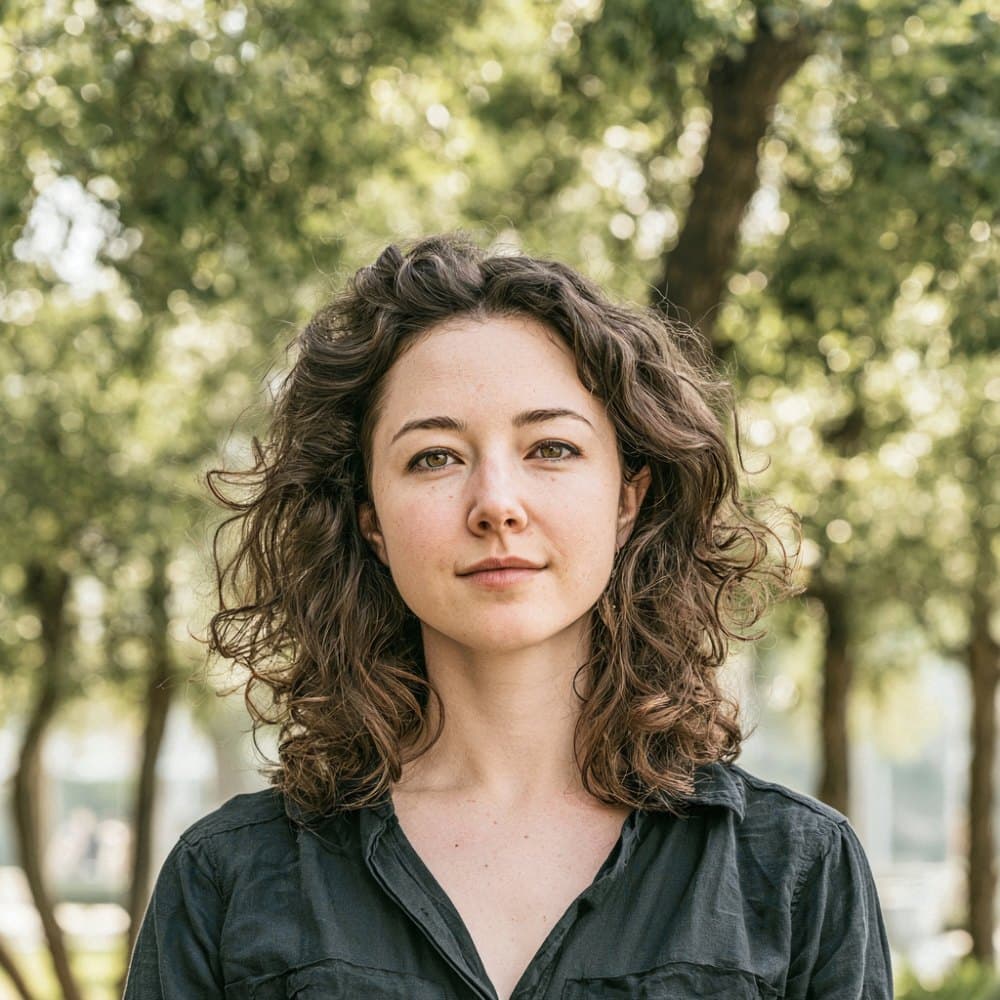

How Guyana’s Ministry of Home Affairs handles visa photos
Guyana’s visa photo standard is set by the Ministry of Home Affairs through its Immigration Support Services (ISS) division, which runs the official eServices portal at eservices.iss.gov.gy. The same subject rules apply across Visitor, Business, Employment, Student, and Visa on Arrival categories, with no separate spec for any individual category.
Submissions arrive through three channels, and each treats the photo differently. The ISS eServices portal accepts a square digital upload directly, and is mandatory or strongly preferred for Business, Employment, and Student applications. Guyanese embassies and High Commissions (Washington DC, New York, London, Belgium, Qatar, Trinidad) accept printed photos by walk-in or mail, typically two copies per application. Submissions made inside Guyana through the Ministry of Home Affairs in Georgetown, and Visitor Visa extensions, require a single print. There is no VAC operator and no on-site biometric capture for Guyana visas, so every photo is self-supplied.
Consular and ISS adjudicators reject photos that fail the subject rules outright, and processing for Visitor Visas and extensions has been running longer since 2024 as the Ministry tightens review. A non-compliant photo means the application is returned or held, so the photo needs to be right the first time.
What Guyana requires in your visa photo
The Ministry of Home Affairs, through its Immigration Support Services (ISS) division, enforces a uniform set of subject rules across every visa category. Follow these to keep your application moving.
Expression & pose
- Neutral expressionKeep a neutral face with your mouth closed. No smiling, frowning, or open-mouth expressions are accepted by Guyanese missions or the ISS portal.
- Face the cameraLook straight at the camera with your full face in frontal view. Do not tilt or turn your head.
- Eyes open and visibleBoth eyes must be open, level, and clearly visible. Avoid red-eye and any hair that crosses the eye line.
Eyewear & lenses
- No sunglassesSunglasses, tinted lenses, and dark glasses are prohibited in Guyana visa photos.
- Prescription glassesClear prescription glasses are permitted only if the lenses do not produce glare or reflections that obscure the eyes. Removing them is the safer option.
Hair & ears
- Hair off the faceHair must not fall across the eyes, eyebrows, or sides of the face.
- Ears visibleGuyanese identity-document practice expects ears to be visible. Tuck long hair behind the ears where possible.
Headwear
- No general headwearHats, caps, and other non-religious head coverings are not accepted.
- Religious or medical head coveringsReligious and medical head coverings are permitted provided the full face from the bottom of the chin to the top of the forehead and both edges of the face remain clearly visible.
Jewelry & accessories
- Earrings and studsGuyanese passport rules prohibit studs and earrings on male applicants, and consular staff apply similar expectations at the visa counter. Removing earrings before the photo is the safest approach for all applicants.
- Facial accessoriesNothing may obscure the facial features. Remove items that cast shadows or block the eyes, brows, nose, or mouth.
Clothing
- Everyday dressWear ordinary street clothing. Uniforms and camouflage are not recommended for visa submissions.
Photo quality
- Recent likenessThe photo must be recent. Consular practice expects an image taken within the last six months that reflects your current appearance.
- No shadows on the faceThe face must be free of harsh shadows, including shadows cast by hat brims or strong overhead light.
- No glare or red-eyeReflections from glasses or jewelry, and red-eye from flash, are grounds for rejection.
Dimensions, resolution & background.
Head position & camera distance.
- Head height, measured from the bottom of the chin to the top of the head, must be between 25.4 mm and 35.1 mm (roughly 50–69% of the photo height).
- Eyes must sit between 28 mm and 35.1 mm from the bottom of the photo.
- The head must be centered horizontally in the frame with a small symmetrical margin on each side.
- Both shoulders must be square to the camera and visible. Three-quarter angles or rotated torsos are not accepted.
- The full face from chin to crown must be inside the frame with proper top margin.
How recent the photo must be.
Your visa photo must have been taken within the last six months. A new photo is required sooner whenever your appearance has changed in a way that makes the old photo no longer recognizable.
You need a new photo if you’ve had…
- Facial surgery or a major change to facial structure
- A significant gain or loss of weight that visibly changes your face
- Large facial tattoos or piercings added or removed
- A gender transition that has changed your appearance
You do not need a new photo just because of…
- A new hair color
- Growing or removing a beard or moustache
- Ordinary, minor aging
- A new hairstyle that still leaves the face fully visible
Other things to know.
A few quirks of the Guyana visa channel are worth knowing before you submit.
Square digital, rectangular prints
The ISS eServices portal expects a square image, while embassies and high commissions accept rectangular passport-style prints. The same applicant may legitimately produce differently shaped photos depending on whether they file online or on paper.
Embassy size depends on region
Guyana missions accept the host country’s passport-photo size at the counter. That means 2x2 inches at posts in the Americas (Washington DC, New York) and 35x45 mm at the London High Commission and European missions.
Print count varies by channel
Embassies and high commissions abroad typically require two printed copies per applicant. Submissions to the Ministry of Home Affairs in Georgetown, and Visitor Visa extensions of stay, require only one printed copy.
No VAC, no on-site capture
Guyana does not use VFS, BLS, TLS, or any other visa application centre, and missions do not capture photos on site. Every photo is self-supplied, so the burden of meeting the spec sits entirely with the applicant.
Take your Guyana visa photo at home in three steps.
Plus a human layer. Your files are ready the moment the automatic checks pass — and a real passport-photo specialist also reviews each one, usually within minutes, touching up small issues or flagging anything that needs your attention.
Free to check, and reviewed by a real expert. You only pay when you keep it.
Print-quality requirements for in-person submissions.
When you submit a printed photo at a visa application centre, the paper, finish, and ink all matter. The points below cover the standards most consular missions accept.
- Print on photographic-quality paper at 300 DPI minimum.
- Use a matte or semi-gloss finish; high-gloss can produce reflections that confuse biometric scanners.
- Do not retouch, crop, or alter the photo after printing.
- Bring at least two identical prints when the submission channel calls for paper photos.