

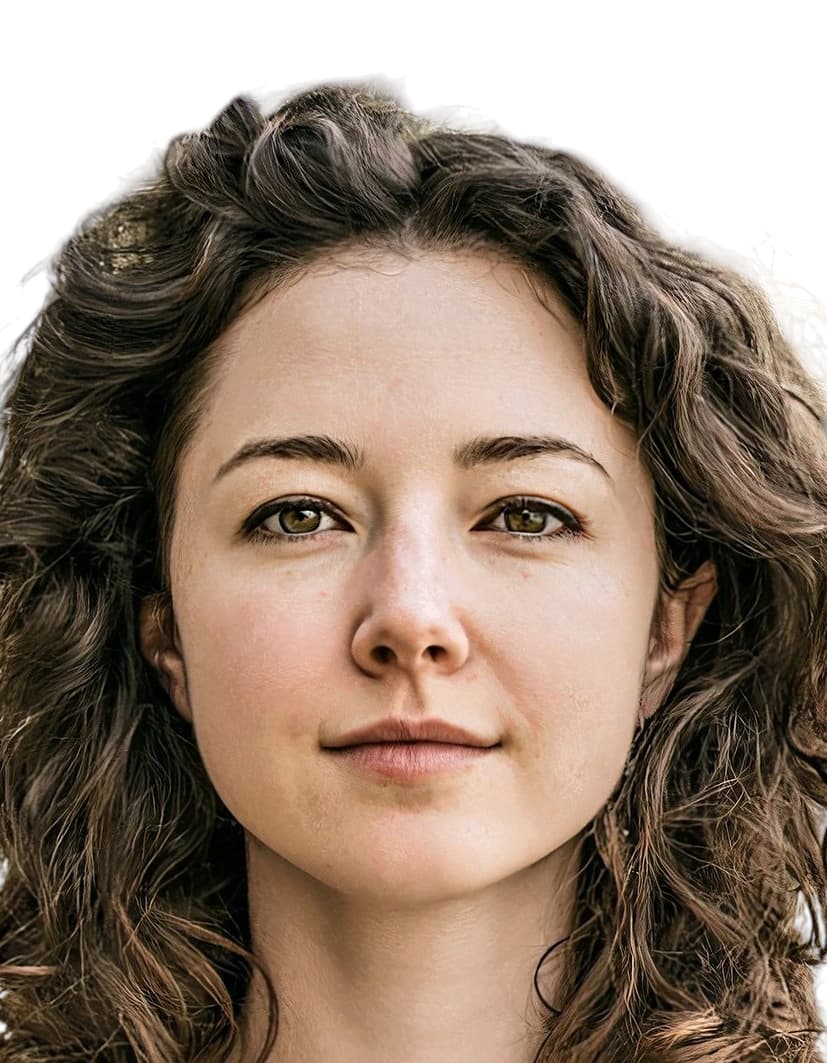
Gabon visa photos and the DGDI e-Visa standard
Gabon’s visa photo specification is set by the Direction Générale de la Documentation et de l’Immigration (DGDI), the body that operates the e-Visa portal at evisa.dgdi.ga and oversees consular issuance. DGDI mandates a 35×45 mm reference image, a plain white background, correct exposure (neither overexposed nor underexposed), and a photo taken within the last six months. The same standard is used by the Consulat Général de Gabon in France, which describes the background as ’fond blanc’.
Gabon has no visa application centre operator. Applications run directly through the DGDI e-Visa portal or through Gabonese embassies and consulates. The Gabon Embassy in Washington D.C. follows local US passport convention and accepts 2×2 in (51×51 mm) prints, while European and African missions stay with the 35×45 mm format. The e-Visa itself functions as an Electronic Travel Authorization, with the final visa sticker printed at Léon-Mba International Airport in Libreville after a mandatory live biometric capture by DGDI officers.
Photos that fail DGDI’s checks (wrong size, off-white background, poor exposure, or an outdated image) lead to portal upload errors, rejected consular files, and delays at the border counter in Libreville. Meeting the published spec on the first submission is the cleanest path through both the online and embassy channels.
What the DGDI expects in a Gabon visa photo
The Direction Générale de la Documentation et de l’Immigration sets a uniform photo standard across every visa category. The rules below cover what you, the subject, must look like in the final image.
Expression & pose
- Face the cameraLook straight at the lens with your head level and shoulders square. Profile shots and angled poses are rejected.
- Neutral expressionKeep a relaxed, neutral expression with your mouth closed. Smiles, frowns, and exaggerated expressions are not accepted.
- Eyes open and visibleBoth eyes must be fully open and clearly visible. Squinting, closed eyes, and red-eye are grounds for rejection.
Eyewear & lenses
- EyeglassesIf glasses are worn, the lenses must be clear and must not obscure the eyes. Tinted lenses, sunglasses, and heavy frames that cover the eyes are not permitted.
- No glare or reflectionsLens glare and flash reflections that hide any part of the eyes will cause the photo to be refused.
Hair & face coverage
- Full face visibleHair must not fall across the eyes, eyebrows, or the edge of the face. The full face from chin to top of forehead must be visible.
- EarsThe DGDI does not require ears to be exposed, so hair worn down is acceptable provided it does not cover facial features.
Headwear
- No general headwearHats, caps, and decorative head coverings are not allowed.
- Religious head coveringsHead coverings worn daily for religious reasons are permitted as long as the full face from chin to top of forehead is visible and no shadows fall across the face.
Cosmetics & accessories
- Natural appearanceEveryday makeup is acceptable. Heavy cosmetics that alter facial features or skin tone in a way that hinders identification should be avoided.
- JewelryDiscreet jewelry is acceptable provided it does not obscure facial features or cast reflections onto the face.
Clothing
- Everyday clothingWear regular street clothing. Uniforms and camouflage patterns are not accepted. Avoid clothing that blends into a white background at the shoulders.
Photo quality
- Recent photographThe DGDI requires the photo to be less than six months old and to reflect your current appearance.
- No facial shadowsStrong shadows cast across the face, including those from hat brims or religious head coverings, will cause the photo to be refused.
- No motion blurStay still during capture. Any motion blur on the face makes the photo unusable for biometric matching.
Dimensions, resolution & background.
Head position & camera distance.
- Head height, measured from the bottom of the chin to the top of the head, must be between 32.8 mm and 36.2 mm (roughly 73–81% of the photo height).
- Eyes must sit between 20.8 mm and 25.3 mm from the bottom of the photo.
- The head must be centered horizontally in the frame with a small symmetrical margin on each side.
- Both shoulders must be square to the camera and visible. Three-quarter angles or rotated torsos are not accepted.
- The full face from chin to crown must be inside the frame with proper top margin.
Gabon accepts more than one size — we generate them all.
Gabon publishes more than one acceptable format depending on where you submit your application — domestic passport offices, the official online portal, and regional consulates abroad can each call for a different print or pixel size. We render every variant below from the same source photo, so the head sits at the same physical position across files, and each one arrives in your order email with a clear filename indicating which submission channel it's for.
Gabon Visa 35×45 mm
Primary · Print + DigitalGabon's official format — the same file works for both printed in-person submissions and the online portal upload.
Gabon Visa 2×2 in — from US consulate
Consular printPrint size accepted by US-based consular missions for applicants in the United States.
How recent the photo must be.
Your visa photo must have been taken within the last six months. A new photo is required sooner whenever your appearance has changed in a way that makes the old photo no longer recognizable.
You need a new photo if you’ve had…
- Facial surgery or a major change to facial structure
- A significant gain or loss of weight that visibly changes your face
- Large facial tattoos or piercings added or removed
- A gender transition that has changed your appearance
You do not need a new photo just because of…
- A new hair color
- Growing or removing a beard or moustache
- Ordinary, minor aging
- A new hairstyle that still leaves the face fully visible
Other things to know.
A few things about Gabon’s visa process catch applicants off guard.
E-Visa is an ETA
The document issued through evisa.dgdi.ga is an Electronic Travel Authorization. The physical visa sticker is printed at Léon-Mba International Airport in Libreville after DGDI officers perform a live biometric capture on arrival. Your uploaded photo is used for pre-vetting only.
No VAC operator
Gabon does not use VFS Global, TLScontact, or any other visa application centre. Applications go directly to the DGDI e-Visa portal or to a Gabonese embassy or consulate.
Washington D.C. size variant
The Gabon Embassy in Washington D.C. follows the local US passport convention and accepts 2 x 2 inch (51 x 51 mm) prints. European and African missions use the standard 35 x 45 mm size. Match the print size to the mission where you are applying.
Copies vary by mission
The Gabon High Commission in London asks for two identical prints, while the Washington D.C. embassy asks for one. Check the requirements of the specific mission handling your file before printing.
Take your Gabon visa photo at home in three steps.
Plus a human layer. Your files are ready the moment the automatic checks pass — and a real passport-photo specialist also reviews each one, usually within minutes, touching up small issues or flagging anything that needs your attention.
Free to check, and reviewed by a real expert. You only pay when you keep it.
Print-quality requirements for in-person submissions.
When you submit a printed photo at a visa application centre, the paper, finish, and ink all matter. The points below cover the standards most consular missions accept.
- Print on photographic-quality paper at 300 DPI minimum.
- Use a matte or semi-gloss finish; high-gloss can produce reflections that confuse biometric scanners.
- Do not retouch, crop, or alter the photo after printing.
- Bring at least two identical prints when the submission channel calls for paper photos.