
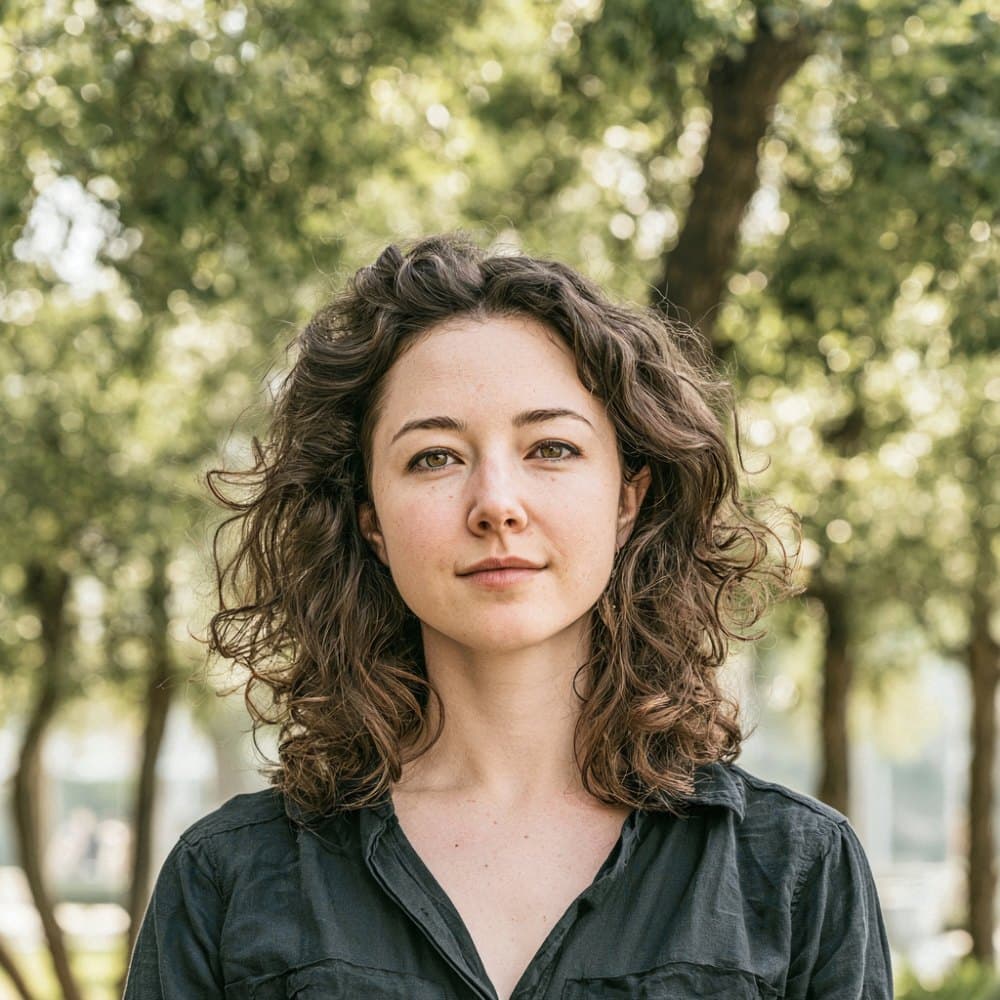

Bolivia visa photos under the Ministerio de Relaciones Exteriores
Bolivia’s visa photo standard is set by the Ministerio de Relaciones Exteriores (Cancillería), with consular processing supported by the Dirección General de Migración (DIGEMIG). The same square, white-background portrait covers every visa category that flows through the official Declaración Jurada portal, including Turismo, Objeto Determinado, Estudiante, Transit, Humanitarian, and Visa on Arrival.
Bolivia does not use a visa application centre and does not capture biometrics on site. Applicants begin at the formvisas portal at portalmre.rree.gob.bo, upload a digital photo that is embedded into the generated PDF, then submit the printed application to a Bolivian embassy or consulate, mail it in where permitted, or present it at the border for Visa on Arrival. Every photo is self-supplied at every channel.
Consular review is by eye, and a wrong background or a non-compliant subject is the fastest way to have an application returned or delayed. The most common Bolivia-specific error is presenting the red-background photo used for in-country residency at SEGIP and DIGEMIG instead of the white-background photo required at the consular visa stage. Following the Cancillería rule for the consular file keeps the application moving.
What the Bolivian consular visa photo must show
The Ministerio de Relaciones Exteriores reviews each Declaración Jurada photo by eye at the consulate. The rules below describe what the subject must look like in the final image.
Expression & pose
- Face forwardThe applicant must face the camera directly ("de frente"), with the head level and shoulders square. Profile and three-quarter angles are rejected.
- Neutral expressionA neutral expression with the mouth closed is the safe default for Bolivian consular review. Exaggerated smiles, frowns, or other expressions that distort facial features are not accepted.
- Eyes open and visibleBoth eyes must be open and clearly visible, looking straight at the camera. Squinting or closed eyes will cause the photo to be refused.
Eyewear & lenses
- No eyeglassesBolivian consular instructions require photos to be taken "sin lentes." Glasses of any kind, including thin clear frames, must be removed before the photo is captured. This is stricter than the ICAO default.
- No tinted or coloured lensesSunglasses and any lenses that obscure or tint the eyes are not permitted.
Hair & face
- Face fully uncoveredThe face must be fully visible from hairline to chin ("rostro descubierto"). Hair must not fall across the eyes or obscure the eyebrows, cheeks, or jawline.
Headwear
- No hats or capsHats, caps, and other non-religious headwear are not permitted ("sin sombrero").
- Religious headwearReligious head coverings are accepted provided the full face from the hairline to the chin remains clearly visible.
Clothing
- Everyday clothingApplicants should appear in ordinary street clothing. Uniforms are not accepted.
Photo quality
- Current likenessThe photo must be a recent, current likeness of the applicant ("fotografía actual"). Consulates apply a working maximum of roughly six months from the capture date.
- No red-eyeRed-eye from on-camera flash is grounds for rejection. The eyes must show their natural colour.
- Sharp and in focusThe image must be sharp, in colour, and free of motion blur from the subject. Pixelation and visible compression artefacts will cause rejection.
Dimensions, resolution & background.
Head position & camera distance.
- Head height, measured from the bottom of the chin to the top of the head, must be between 19 mm and 21 mm (roughly 65–71% of the photo height).
- Eyes must sit between 15 mm and 18 mm from the bottom of the photo.
- The head must be centered horizontally in the frame with a small symmetrical margin on each side.
- Both shoulders must be square to the camera and visible. Three-quarter angles or rotated torsos are not accepted.
- The full face from chin to crown must be inside the frame with proper top margin.
Bolivia accepts more than one size — we generate them all.
Bolivia publishes more than one acceptable format depending on where you submit your application — domestic passport offices, the official online portal, and regional consulates abroad can each call for a different print or pixel size. We render every variant below from the same source photo, so the head sits at the same physical position across files, and each one arrives in your order email with a clear filename indicating which submission channel it's for.
Bolivia Visa 30×30 mm
Primary · Print + DigitalBolivia's official format — the same file works for both printed in-person submissions and the online portal upload.
Bolivia Visa 40×40 mm — Certificate of Residence
Print + DigitalFormat for Bolivia residence-permit applications.
Bolivia Visa 288×288 px — e-Visa
Digital uploadSized for Bolivia's e-Visa online application.
How recent the photo must be.
Your visa photo must have been taken within the last six months. A new photo is required sooner whenever your appearance has changed in a way that makes the old photo no longer recognizable.
You need a new photo if you’ve had…
- Facial surgery or a major change to facial structure
- A significant gain or loss of weight that visibly changes your face
- Large facial tattoos or piercings added or removed
- A gender transition that has changed your appearance
You do not need a new photo just because of…
- A new hair color
- Growing or removing a beard or moustache
- Ordinary, minor aging
- A new hairstyle that still leaves the face fully visible
Other things to know.
A few Bolivia-specific quirks catch most applicants off guard.
Visa photo, not residency photo
The consular visa photo uses a white background. The red background that appears on some Bolivian embassy pages belongs to the in-country residency process (Cédula de Identidad de Extranjero) handled by SEGIP and DIGEMIG, not to the consular visa. Submitting a red-background photo at a consulate is the most common Bolivia rejection cause.
No VAC, no on-site capture
Bolivia does not use VFS Global, BLS, or any other visa application centre, and consulates do not capture biometric photos on site. Every applicant supplies their own photo, whether they apply through the formvisas portal, at a consulate, by mail, or as Visa on Arrival.
Print size follows the consulate
The Cancillería does not mandate a single print size. European consulates and DIGEMIG offices use 30 × 30 mm, the Canadian consulate uses 40 × 40 mm, US consulates use 2 × 2 in (51 × 51 mm), and the London embassy uses 35 × 45 mm for the Visa de Objeto Determinado. Match the size to the consulate where the application will be lodged.
Bring a spare print
The formvisas Declaración Jurada PDF carries one photo box, but several embassy pages still list two photographs. Bring two identical prints to a consular appointment so a second copy is available if requested.
Take your Bolivia visa photo at home in three steps.
Plus a human layer. Your files are ready the moment the automatic checks pass — and a real passport-photo specialist also reviews each one, usually within minutes, touching up small issues or flagging anything that needs your attention.
Free to check, and reviewed by a real expert. You only pay when you keep it.
Print-quality requirements for in-person submissions.
When you submit a printed photo at a visa application centre, the paper, finish, and ink all matter. The points below cover the standards most consular missions accept.
- Print on photographic-quality paper at 300 DPI minimum.
- Use a matte or semi-gloss finish; high-gloss can produce reflections that confuse biometric scanners.
- Do not retouch, crop, or alter the photo after printing.
- Bring at least two identical prints when the submission channel calls for paper photos.