Armenia visa photos and the Ministry of Foreign Affairs
Armenia’s visa photo standard is set by the Ministry of Foreign Affairs (MFA) of the Republic of Armenia. The same 35×45 mm portrait image is used for Visitor, Transit, Official, and Diplomatic visas, whether the application is filed online or in person at a diplomatic mission. The MFA does not contract a visa application centre, so every photo is reviewed directly by Armenian government staff.
There are two live submission paths. The e-Visa portal at evisa.mfa.am accepts a JPEG or PNG up to 2 MB and presents an interactive crop tool with a facial oval overlay, which means a generous source photo with headroom and visible shoulders works far better than a tightly pre-cropped image. Armenian embassies and consulates accept the same image as a single printed 35×45 mm copy, submitted walk-in or by mail with the visa application form.
MFA reviewers enforce the published rules strictly. A photo with the wrong background, an obscured face, or an outdated likeness will trigger a rejection in the portal or a returned application from the consular section, and the applicant must resubmit before the visa can be issued.
What the Armenian MFA expects in your visa photo
The Ministry of Foreign Affairs applies a single subject standard across e-Visa uploads and embassy sticker visas. Match these rules and the rest of the photo is on us.
Expression & pose
- Neutral expressionKeep a neutral face with the mouth closed. Teeth must not be visible and smiling is not accepted.
- Eyes open and visibleBoth eyes must be fully open and looking straight at the camera. Hair must not fall across the eyes.
- Face the camera squarelyHold the head straight and level with shoulders square to the lens. Tilting, turning, or looking away from the camera will lead to rejection.
Eyewear & lenses
- Prescription glassesClear prescription glasses are permitted only if the eyes remain fully visible with no glare on the lenses and no frames covering any part of the eye.
- Tinted lenses & sunglassesTinted lenses, sunglasses, and coloured contact lenses are not accepted. Photochromic lenses must be fully clear in the photo.
Hair & facial hair
- Hair off the faceHair must not cover the eyes, eyebrows, or the outline of the face. Style long fringes to the side so the full face is visible.
- Facial hairBeards and moustaches are acceptable as long as they reflect the applicant’s everyday appearance.
Headwear
- No hats or capsHeadwear is not permitted in Armenian visa photos.
- Religious or medical head coveringsHead coverings worn daily for religious or documented medical reasons are accepted, provided the full face from the chin to the top of the forehead is uncovered and no shadows fall across the face.
Jewelry & accessories
- JewellerySmall everyday jewellery is allowed if it does not obscure facial features or produce glare. Remove items that cast shadows on the face.
- Face coveringsScarves, masks, and any accessory that conceals part of the face are not accepted.
Cosmetics
- Everyday makeupRoutine makeup is acceptable. Avoid heavy contouring or anything that materially changes the natural appearance of the face.
Clothing
- Everyday clothingWear ordinary day clothing. Uniforms are discouraged for Visitor, Transit, and e-Visa applicants; only Official and Diplomatic visa applicants may appear in uniform.
- Shoulders in frameShoulders should be visible and squared to the camera. Avoid clothing that blends into a white background, such as plain white tops.
Photo quality
- No red-eyeRed-eye from direct flash is not accepted. The natural colour of the iris must be visible.
- No shadows on the faceThe face must be evenly lit with no harsh shadows cast across the cheeks, eyes, or under the chin.
- Sharp focusThe subject must be in sharp focus with no motion blur. Keep still during capture.
Dimensions, resolution & background.
Head position & camera distance.
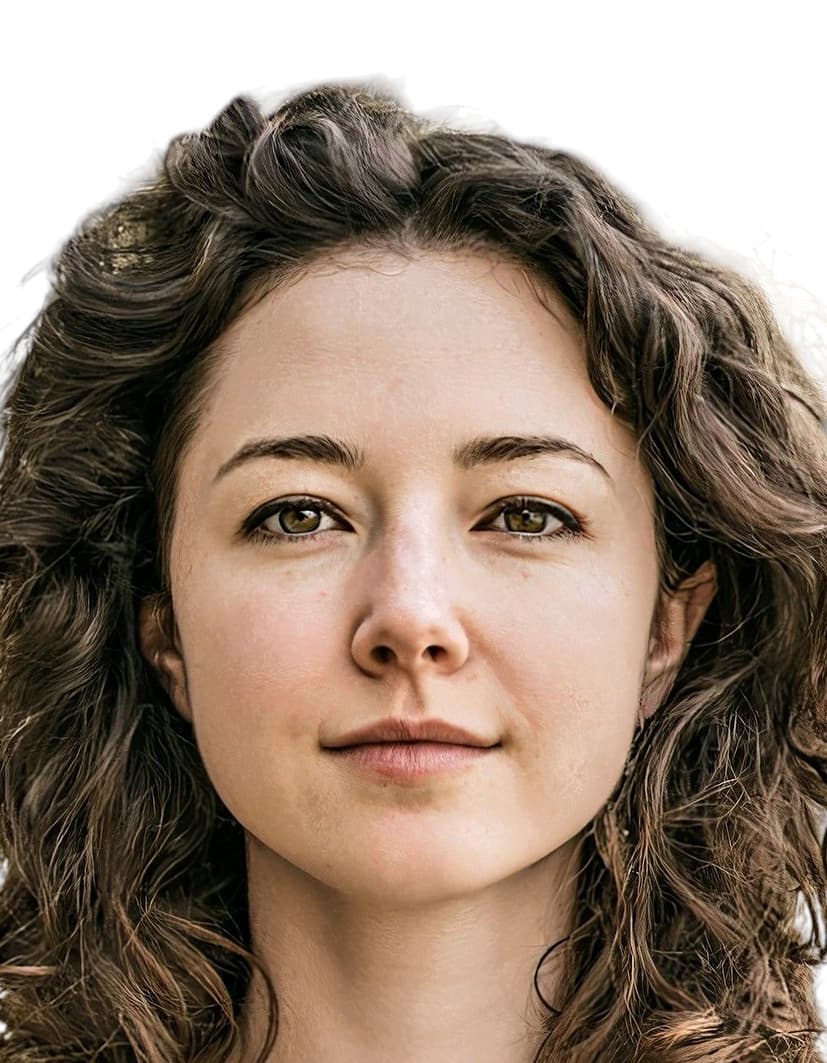
- Head height, measured from the bottom of the chin to the top of the head, must be between 33 mm and 36 mm (roughly 73–81% of the photo height).
- Eyes must sit between 21 mm and 25 mm from the bottom of the photo.
- The head must be centered horizontally in the frame with a small symmetrical margin on each side.
- Both shoulders must be square to the camera and visible. Three-quarter angles or rotated torsos are not accepted.
- The full face from chin to crown must be inside the frame with proper top margin.
Armenia accepts more than one size — we generate them all.
Armenia publishes more than one acceptable format depending on where you submit your application — domestic passport offices, the official online portal, and regional consulates abroad can each call for a different print or pixel size. We render every variant below from the same source photo, so the head sits at the same physical position across files, and each one arrives in your order email with a clear filename indicating which submission channel it's for.
Armenia Visa 35×45 mm
Primary · Print + DigitalArmenia's official format — the same file works for both printed in-person submissions and the online portal upload.
Armenia Visa 600×600 px — e-Visa
Digital uploadSized for Armenia's e-Visa online application.
How recent the photo must be.
Your visa photo must have been taken within the last six months. A new photo is required sooner whenever your appearance has changed in a way that makes the old photo no longer recognizable.
You need a new photo if you’ve had…
- Facial surgery or a major change to facial structure
- A significant gain or loss of weight that visibly changes your face
- Large facial tattoos or piercings added or removed
- A gender transition that has changed your appearance
You do not need a new photo just because of…
- A new hair color
- Growing or removing a beard or moustache
- Ordinary, minor aging
- A new hairstyle that still leaves the face fully visible
Other things to know.
A few things about Armenian visas that catch applicants off guard.
No visa application centre
Armenia does not use VFS Global, BLS, or TLScontact for inbound visas. Applications go directly through the MFA e-Visa portal at evisa.mfa.am or through an Armenian embassy or consulate. Any VAC you find online for Armenia handles outbound visas for Armenian residents, not entry into Armenia.
E-Visa portal crop tool
The evisa.mfa.am portal applies its own facial oval overlay during upload and lets the applicant fine-tune the crop. A tightly pre-cropped photo often will not fit inside the oval, so we deliver a portrait source image with generous headroom that drops cleanly into the portal.
One print for embassy submissions
Embassy and consulate sticker visa applications require a single 35x45 mm printed photo affixed to the form. The larger copy counts circulating online relate to Armenian passport, residency, or citizenship applications, not visas.
Visa on arrival uses on-site capture
Eligible nationalities receiving a visa on arrival at Zvartnots Airport or designated land borders do not submit a photo. The border officer captures the image at the counter, so a self-supplied photo is not needed for that channel.
Take your Armenia visa photo at home in three steps.
Plus a human layer. Your files are ready the moment the automatic checks pass — and a real passport-photo specialist also reviews each one, usually within minutes, touching up small issues or flagging anything that needs your attention.
Free to check, and reviewed by a real expert. You only pay when you keep it.
Print-quality requirements for in-person submissions.
When you submit a printed photo at a visa application centre, the paper, finish, and ink all matter. The points below cover the standards most consular missions accept.
- Print on photographic-quality paper at 300 DPI minimum.
- Use a matte or semi-gloss finish; high-gloss can produce reflections that confuse biometric scanners.
- Do not retouch, crop, or alter the photo after printing.
- Bring at least two identical prints when the submission channel calls for paper photos.